My instructional design is informed not just by my experience teaching music, but also my experience in game development, because I believe that the most effective learning tools are ones that feel good to use. Games tailor difficult cognitive tasks to the most natural, intuitive patterns of our brains to make learning feel effortless. Sounds, animations, and visual patterns to direct a learner’s attention and subtly influence how they interpret information, and storytelling and progression grounds them in the experience and helps them stay motivated.
I like to teach myself things, and I like to make things. Below are some projects I’ve created.
“Programming With Conditional Statements”
Tools: Articulate Storyline 360, Adobe Creative Cloud

A guided programming lesson
For this project, I drew from my computer science background and created a lesson in basic programming logic for learners of all backgrounds.
I created optional line-by-line walkthrough interactions as a method of scaffolding, extra guidance along the learning process that gets taken away once the learner is ready.
Because this lesson would be part of a larger course, the assessments are formative rather than summative; they can be attempted as many times as the learner wants, and they’re meant to be a part of the learning process rather than a graded measure of their skills.
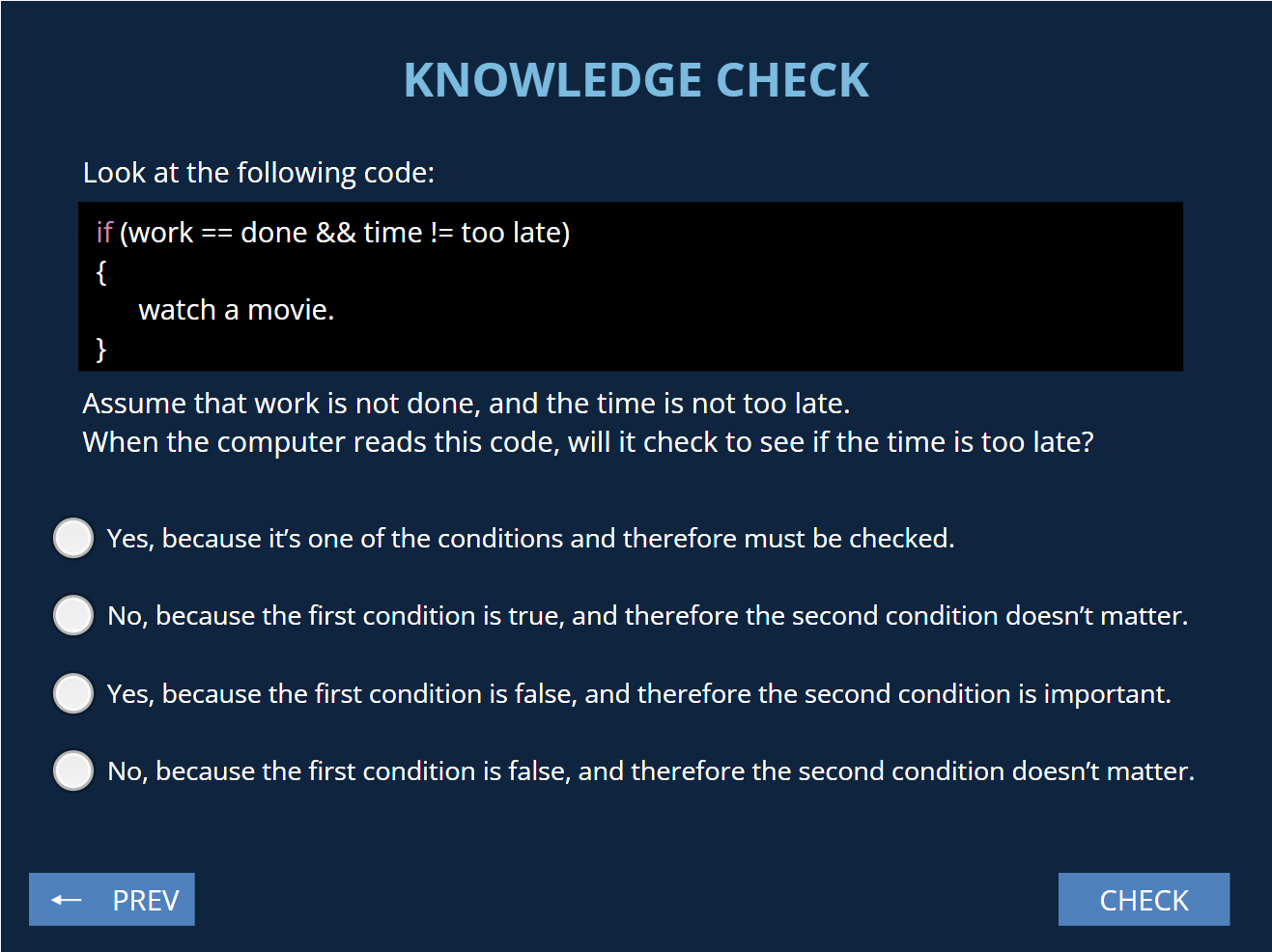
Informed by Bloom’s Taxonomy
The formative assessment section at the end is based on Bloom’s Taxonomy (cognitive domain) and begins by asking the learner to demonstrate simple recall, understanding, and application of the subject matter before graduating into analysis, evaluation, and finally synthesis, in which the user receives a written problem and must write a computer program from scratch.
For the more complex assessment questions, users have the ability to see sample answers and explanations after they have attempted the question themselves.
“Above the Noise”
Tools: Articulate Storyline 360, Adobe Creative Cloud, Logic Pro X

A complex branching scenario
This was my ambitious first project in Articulate Storyline 360. I decided to make an evaluation module that’s also sort of a game, because games are more fun than tests.
In “Above the Noise,” you take on the role of a video game sound designer and are asked to make choices about how you manage your time and how you respond to challenges that arise. It was a lot of fun to draw from my experience from working in games and create something that gives people a window into that kind of work.
Even though this is a game, I followed the ADDIE model of instructional design (Analysis, Design, Development, Implementation, Evaluation) to create it, including having several people test it and making changes when I realized that some people didn’t interpret the UI the way I initially expected.

Dense trigger programming
There ended up being a lot of things that needed complex triggers to operate properly. For example, on the screen shown on the left, the user needs to select exactly four options, and the submit button and checkable options needed to toggle between disabled and enabled to validate the user input, requiring lots of trigger logic.
There were many challenges like this, and my programming background really helped me design the right combination of triggers to get what I wanted.

Deceptively complex branching
The user is presented with many choices throughout the game, but what they might not immediately see is that their decisions affect not only their final score, but also what future problems they will face, and what options they will have to solve those problems.
Working in game development means sacrifices, compromises, and tough decisions, so it isn’t easy to get a perfect score the first time, but at the end of the game, the user receives detailed feedback so that they can see how each choice they made affected the final product and learn how they could improve.

Fun is better
My background in games is a big influence on the way I design educational content. For this project, I could have easily made a bland instructional module with quizzes at the end of each section, but I’m a believer in the power of games and gamification, so I made it feel like a game. I included narrative and characters, level and progression, and animations and sound design, and the result is something much more engaging and effective as a learning tool.
And listen, it’s not all empty flash. As a sound designer, I know how sounds, when applied to interactive elements, can cue a user to understanding what those elements do and help them intuitively learn how to navigate the UI. I took a similar approach with animations: each type of text box (dialogue, narrative, special tips) its own distinct animation to help the user distinguish them and unconsciously organize the information they’re receiving with little to no effort.
“The Elements of Music”
Tools: Articulate Storyline 360, Adobe Creative Cloud, Logic Pro X

A nonlinear set of lessons
In keeping with the theme of (maybe overly) ambitious projects and drawing from my existing knowledge, I created this music theory module based on many lessons I’ve given to students over the years. It is designed to give learners from any level of music background an idea of how to listen to music analytically and start applying music theory concepts to what they hear. It is divided into four sections, each focusing on a different aspect of music, and a final section that combines learning from all four sections.
Again, I’m incorporating a game-like element, even if this one looks less like a game; there’s a level progression for each section that learners can pursue non-linearly. There’s a home screen that they will regularly interact with, where they’ll see check marks appear to note their progress. They’ll also be shown the activities they’re locked out of until they make more progress, motivating them to keep going.

Learning, evaluation, and reinforcement through use
Each section contains a three-step progression: First, information is presented in a lesson with audio examples. Next, they are given a short quiz to ensure that they’ve retained most of the information. Finally, they’re given the opportunity to stretch their new knowledge and apply it to real-world examples. In this third section, they’re asked to write a few sentences about some excerpts of music, and encouraged to think outside the box and appropriate the learned concepts in a way that makes sense to them. This third activity is not graded, but the user will have the opportunity to see example answers, and go back to edit their own answer if they wish.
This third step lets people move from the realm of academic, rote learning into creative thinking and connection-making, reinforcing their understanding of the concepts.
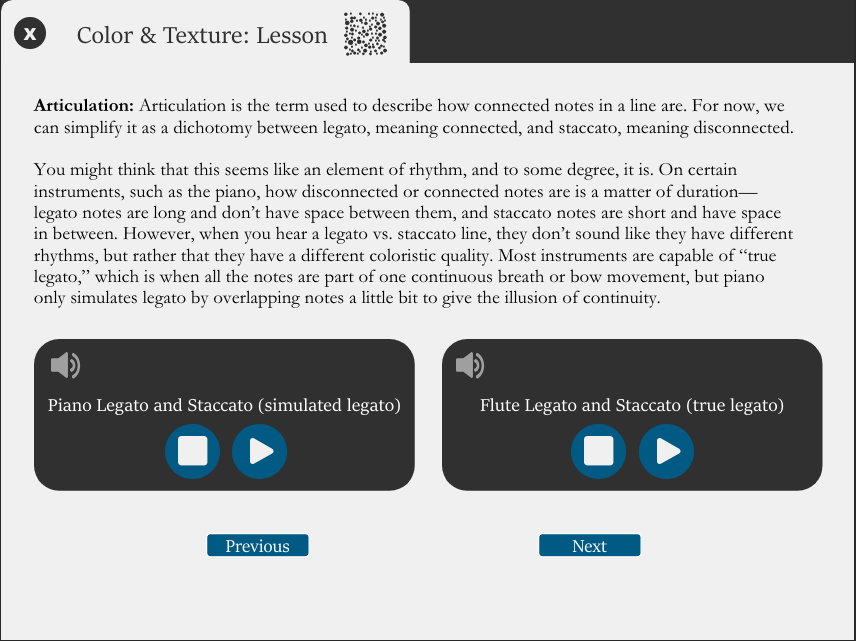
Design challenges
Like my first project, this required very complex branching logic, with dozens of triggers on the home page making check marks visible or invisible, unlocking new tasks based on tasks completed, and allowing the user to re-start a completed quiz with a blank slate. But there were other logic puzzles you might not think of. For example, I had to create media players for my audio examples. On the screen shown to the left, clicking the play button on one of the players not only starts the audio clip, it also changes the play button into a pause button, and stops the other player if it was already playing.
I manually coded many quiz slides to allow for partial credit (something not built into Storyline’s functionality) and found a clever workaround for conditional transitions. Even something as simple as an exit button for each activity with an “are you sure” layer isn’t quite so simple. If a learner exits a quiz halfway through, the quiz needs to be reset. If they exit from the completion side of an activity, the activity should still be counted as complete.
There are many, many logical operations happening behind the scenes of this module, all of which had to be designed and rigorously tested.
 Augustin Carroll